Install + first launch
Quickest — one command, no Gatekeeper warning
Open Terminal (press ⌘+Space, type “Terminal”, press Enter), paste this line and press Enter:
curl -fsSL https://rsltool.com/install.sh | bashIt downloads the latest version, checks it against the published checksum, puts RSL Tool into Applications and opens it. The “Apple could not verify…” warning does not appear: macOS shows it only for apps downloaded through a browser. To update later, run the same line again — your settings and data stay.
1. Download
Click the Download button on rsltool.com — it 302-redirects to the latest signed DMG (~125 MB).
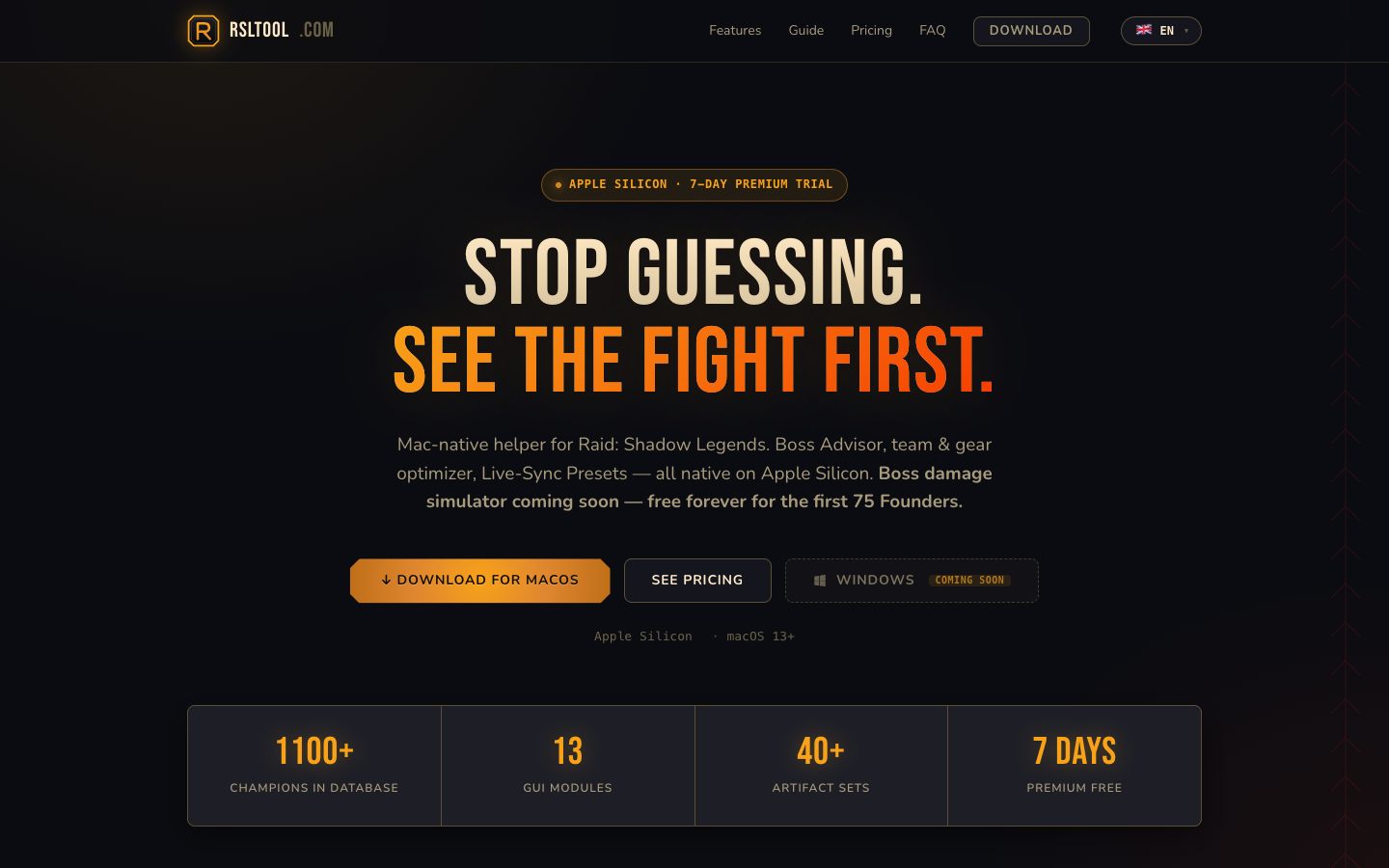
/api/download — bookmark that, not the version-pinned file.releases.rsltool.com/RSL_Tool_v0.3.0.dmg.2. Install — drag to Applications
- Double-click RSL_Tool_v….dmg in Downloads. The DMG mounts in a new Finder window.
- Drag the RSL Tool icon onto the Applications alias inside that window.
- Eject the DMG (right-click on the mount in Finder → Eject).
- Run the app from /Applications, not from the mounted DMG.
3. First launch — bypass macOS Gatekeeper
RSL Tool is not notarised by Apple — that needs a paid Apple Developer account. So on macOS 15 Sequoia and later, the first launch of a copy downloaded in a browser is blocked with “Apple could not verify ‘RSL Tool’ is free of malware”. You unblock it once in 3 steps below; after that it opens normally. (Installed with the one command above? Skip this section.)
Step 1 — initial warning
Double-click RSL Tool in /Applications. macOS shows:
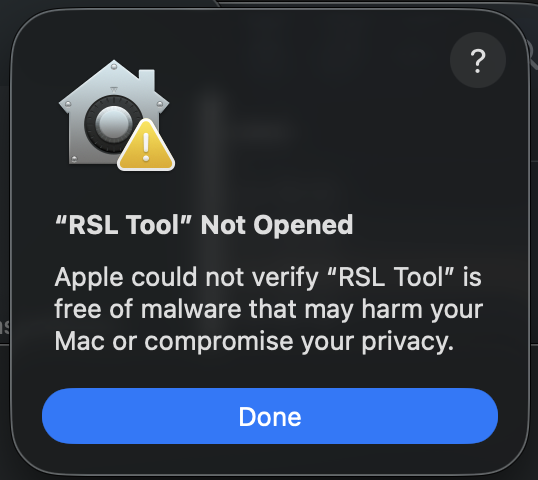
Click Done and continue to step 2.
Step 2 — unblock in System Settings
Open System Settings → Privacy & Security. Scroll down to the Security section and look for the “RSL Tool was blocked” entry:
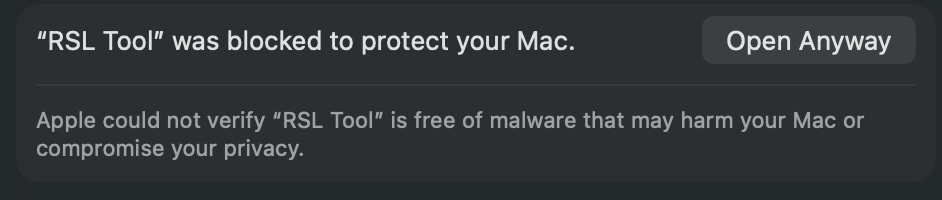
/Applications to re-trigger.Click Open Anyway. Confirm with your password or Touch ID.
Step 3 — final confirmation
macOS shows one final dialog — this time with the blue Open Anyway button active:
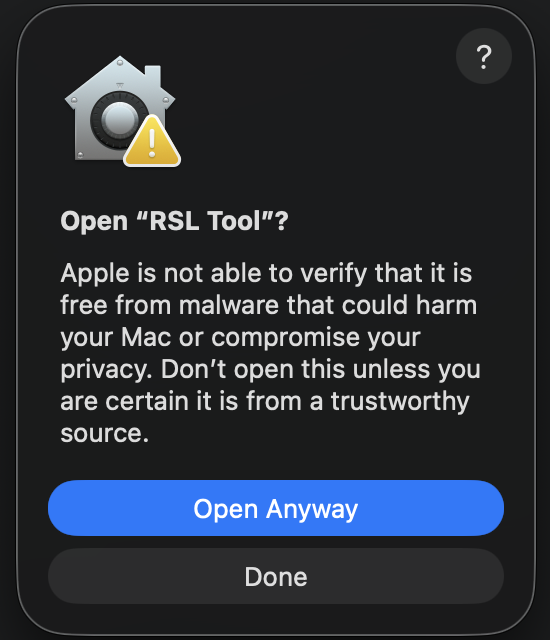
Faster path — Terminal one-liner (for developers)
The 3-step UI bypass can be replaced by a single shell command that strips the quarantine attribute macOS adds to internet-downloaded files:
xattr -dr com.apple.quarantine "/Applications/RSL Tool.app"After this, double-click the app and it opens directly — no warnings.
4. macOS permission prompts
macOS gates every app behind permission prompts. RSL Tool triggers two flavours: folder access right after launch, and Developer Tools Access the first time you click Connect.
Folder access (Transparency, Consent, Control)
Right after the app launches, macOS asks for access to your user folders one prompt at a time. This is macOS's TCC system (Transparency, Consent, Control) — every app has to explicitly request access to your Downloads, Documents, and Desktop folders the first time it tries to read them.
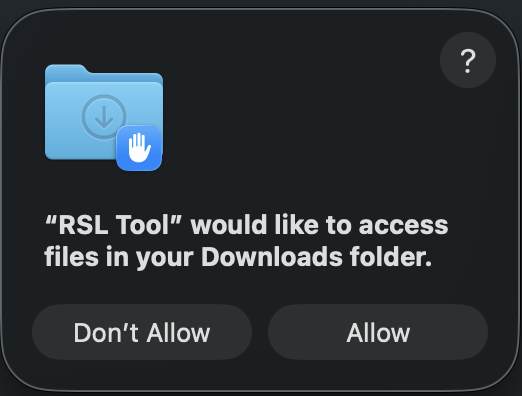
You may see one or more of these prompts in a row — Downloads first, then possibly Documents and Desktop. Click Allow on each. Without these permissions the app can't auto-detect Plarium Play or load static JSON dumps; the optimizer still works on paid tiers, but the import flow needs the permissions.
Developer Tools Access (for live attach)
One more permission prompt appears later — the first time you click the Connect button to attach to a running Plarium Play instance:
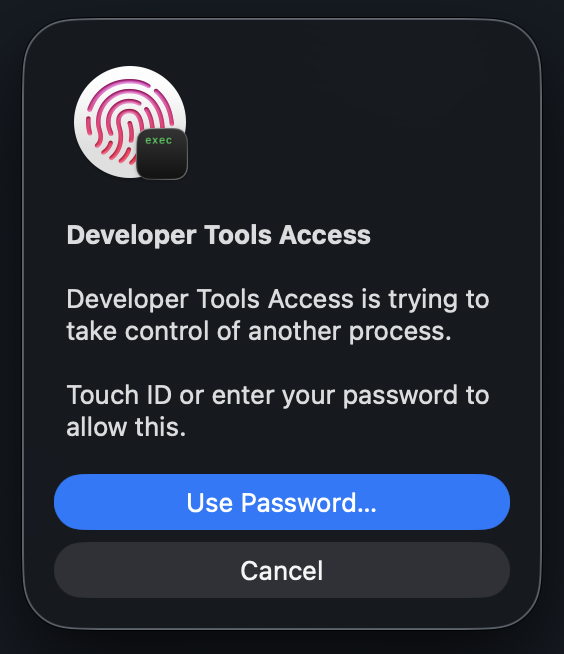
Click Cancel and attach fails — the app falls back to JSON-import mode. You can re-trigger the prompt by clicking Connect again.
task_for_pid (the API Frida calls). RSL Tool only attaches to the Plarium Play process you explicitly chose — nothing else.5. First launch — the License tab
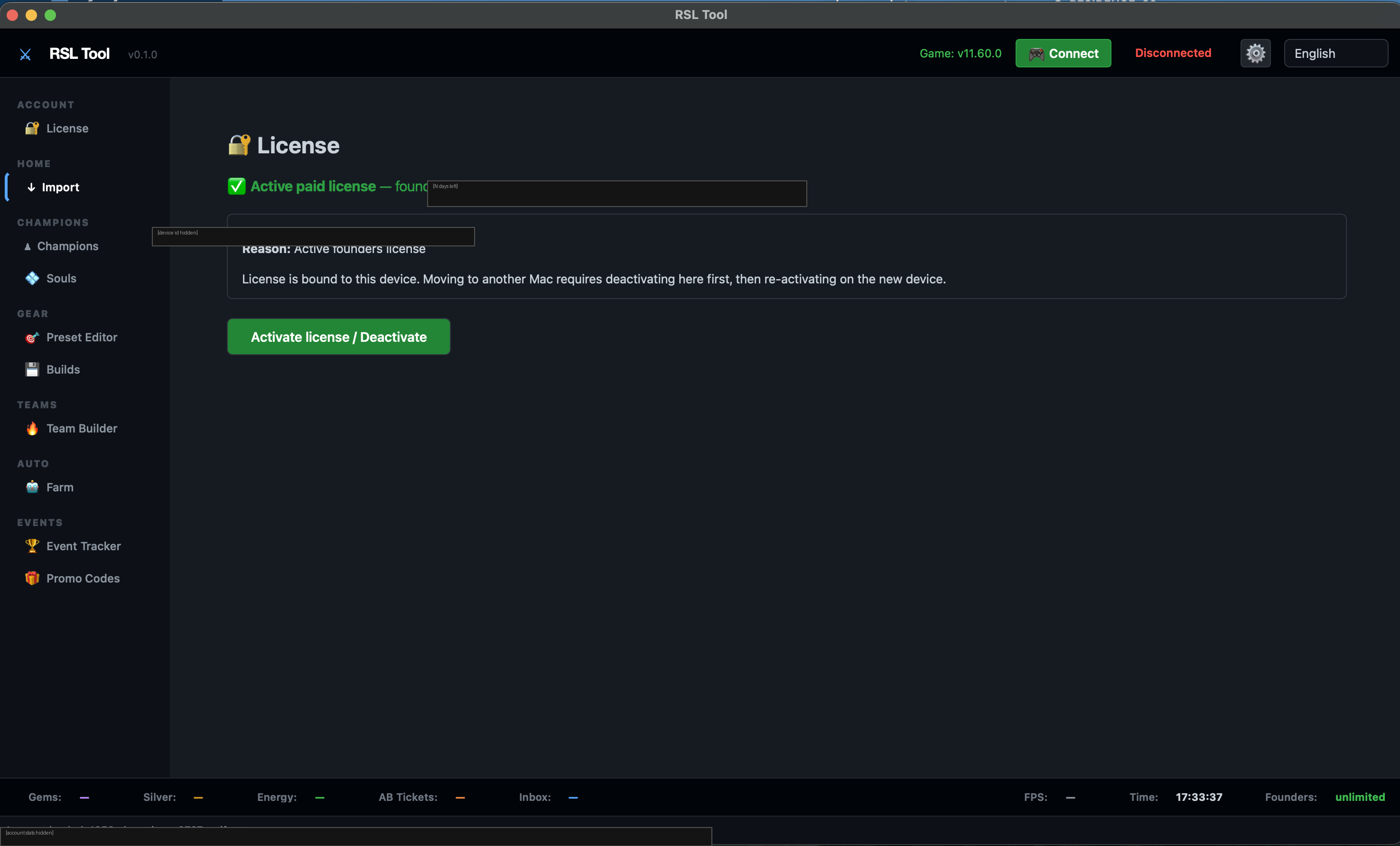
The app always opens on the License tab. This is by design — licensing is the gate to every other feature, so it's the first thing you deal with.
Next steps
- Activate (or stay on Trial). Got a license key? Click Activate license on the screenshot above → paste → done. No key? Trial runs free for the displayed window — keep going and come back when you're ready to buy. Full flow in License activation.
- Connect Raid. Switch to the Import tab in the sidebar. If Plarium Play is running with Raid open, the app auto-detects the process. If not, you can still load a static JSON dump in read-only viewer mode. Full flow in Account import.
6. Trial — what you get
On the very first launch a 7-day Premium trial is provisioned automatically. No card, no signup. The Trial binds to a single Raid account on first import; after expiry the app drops to the free viewer tier. See License + activation for the full tier matrix and upgrade paths.
Common questions
It says “damaged and can’t be opened”
That’s the macOS quarantine flag on the DMG. Fix:
xattr -dr com.apple.quarantine /Applications/RSL\ Tool.appRe-launch — Gatekeeper now respects the “Open Anyway” override.
Is it Apple-Silicon native?
Yes — universal binary. M-series Macs run native (no Rosetta). Intel Macs (2018-2020) still work via the x86_64 slice but performance is slower for gear-optimizer brute force.
Does my license limit Raid game accounts?
Depends on tier:
- Free and Trial bind to one (1) Raid game account on first launch — the first one RSL Tool detects in Plarium Play. To use a different Raid account, upgrade to a paid plan.
- Premium and Founders work with unlimited Raid accounts. Switch in Plarium Play freely; RSL Tool re-syncs automatically.
One Premium subscription replaces the multi-account billing typical of web-tool alternatives (where 5 Raid accounts cost you 5× the subscription).